
What Bike Universe Actually Is and Why It Stands Out
Bike Universe is a Roblox open-world vehicle simulation where riders roll through a shared city map, collect bikes from three distinct families, and grind cash to expand their garage. According to the official Bike Universe game page, the experience had crossed 13.1 million visits, was pulling roughly 48,900 active players, and was favorited by more than 38,000 riders on a late-September 2026 snapshot. That kind of traction matters because it signals a live economy with enough population density for races, rideouts, and trick spots to actually feel populated rather than empty.
At its core, the game splits into three loops: earn, ride, and customize. Riders earn cash by simply rolling around, by holding wheelies for distance, and by chaining tricks off ramps and hills. That cash unlocks new bikes, which then change how each loop feels. A lightweight pedal bike teaches balance, a dirt bike unlocks traction-heavy stunt lines, and an electric bike trades handling for straight-line speed. Once a rider has a stable of two or three machines, the customization layer opens up with paints, decals, wheels, and engine swaps that shift both the look and the stat profile.
The PC version is the cleanest entry point because keyboard input maps to every mechanic without the layout trade-offs that mobile and console riders deal with. Steering is responsive, the stunt inputs land cleanly, and the cash UI is easy to read at a glance. The Bike Universe Roblox group, run by owner FJJWolfie3, currently lists around 64,969 members and functions as the de facto announcement channel for patch notes, codes, and event windows.
| Core Loop Pillar | Player Action | Primary Reward | Secondary Effect |
|---|---|---|---|
| Earn | Ride continuously across the map | Steady cash trickle | Unlocks garage floor slots |
| Stunt | Hold wheelies, hit ramps, chain tricks | Burst cash payouts | Builds combo multiplier skill |
| Spend | Buy bikes, parts, paints | Garage expansion | Stat upgrades for race viability |
| Social | Join rideouts, race friends, share codes | Community reputation | Code drops and event bonuses |
The three families mentioned above — Dirt, Electric, and Pedal — each come with a baseline stat profile and a cosmetic identity. Community estimates point to around 15 collectable bikes across those families in the current roster, though the developer has not published an official count. Riders who treat the first hour as a guided test drive rather than a buying spree tend to progress faster because they understand which family actually matches their riding style before they spend their first big payout.
Bike Universe PC Guide: Controls, Setup, and First-Hour Priorities
The PC control layout is the single biggest advantage new players have on desktop, and learning it before spending any cash saves a lot of frustration later. Keyboard steering feels immediate because the camera and the front wheel respond to the same input, which makes precision tricks and counter-steering wheelies much easier to land than on a touch screen. Before touching the customization menu or buying a second bike, every PC rider should run through the full input list at least once.
| Control | PC Keybind | Action Category | Beginner Priority |
|---|---|---|---|
| Accelerate | W or Up Arrow | Movement | High — used every second |
| Brake / Reverse | S or Down Arrow | Movement | High — recovery and parking |
| Steer | A / D or Left / Right Arrow | Movement | High — cornering lines |
| Wheelie Pop | Space (tap) | Stunt | High — main cash multiplier |
| Trick Input | Shift + direction | Stunt | Medium — ramps and hills |
| Camera | Right Mouse Button drag | Navigation | Medium — race positioning |
| Reset Bike | R | Recovery | Low — only after crashes |
| Horn / Emote | H | Social | Low — fun, not essential |
After binding familiarity, the next step is the first-hour cash plan. Riders who just roll around in a straight line earn the baseline rate, but the same minute spent holding a wheelie pays several times more. The fastest legitimate first-hour strategy combines a 30-second rolling segment with a 15-second wheelie hold, then a quick reset at a flat stretch. Doing that loop three or four times usually clears enough cash to afford the first bike upgrade without touching the more advanced trick ramps, which still feel unstable on a starter frame.
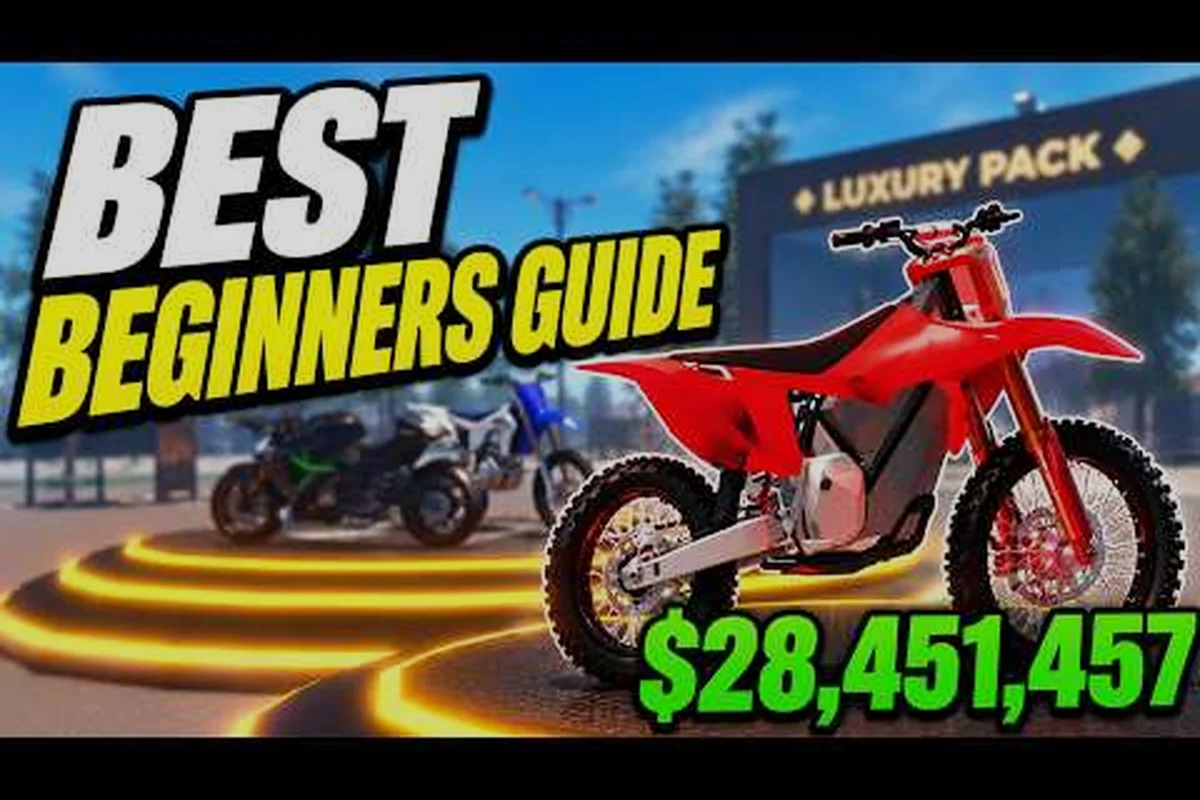
The PC build also makes private servers and code redemption easier to manage. Most code drops arrive through the Roblox group or through creator videos like Radex Tips' Bike Universe beginner guide walkthrough, which walks through fast-money methods, best tricks, bike collection advice, and upgrade priorities for new riders. TonyCool's separate Bike Universe guide covering coins, bikes, tricks, and police chases adds another data point on community-reported routes. Watching one of these while idle-rolling is a solid way to absorb the route map without burning a dedicated practice session.
Quick Look at the Bike Family Roster
Understanding the family split before buying prevents the classic mistake of saving up for a bike that does not match the rider's habits. Dirt bikes lean into traction and trick control, Electric bikes push top speed and race payouts, and Pedal bikes stay affordable and beginner-friendly for riders who are still learning the wheelie timing curve. The comparison below summarizes the trade-offs that matter most on day one.
| Family | Strength | Weakness | Best Use Case | Approx. Price Tier |
|---|---|---|---|---|
| Dirt | Traction, ramp control, mid-air stability | Lower top speed on flats | Trick combos, stunt hills | Mid |
| Electric | Top speed, straight-line bursts, race payout | Heavier feel, looser on turns | Highway racing, leaderboard climbs | High |
| Pedal | Cheap, light, easy to wheelie | Lower durability, weaker stat ceiling | Beginner grind, learning routes | Low |
Riders who plan to focus on cash loops should usually start with a Pedal bike, graduate to a Dirt bike once wheelie timing feels natural, and only chase Electric bikes when they are ready to commit to race mode. A community-written guide on the Bike Universe Reddit thread in r/Roonby echoes the same progression, although community data is not officially confirmed by the developer.
Bike Universe Overview: Map, Economy, and Progression Systems
The open-world map is the connective tissue that ties every mechanic together, and the economy that runs on top of it determines how fast the garage fills up. Bike Universe does not publish a literal quest log, so the map itself acts as the progression guide. Roads feed the steady riding loop, stunt hills feed the wheelie and trick loops, and designated race zones feed the high-stakes payout loop. Knowing which stretch of road does what saves riders from wasting time on routes that pay poorly for their bike.
Reading the Economy
Cash flow in Bike Universe follows three layers that stack on top of each other. The base layer is riding income — a small but constant trickle that runs whenever the wheels are turning. The middle layer is wheelie income, which multiplies the base rate as long as the front wheel stays in the air. The top layer is trick income, which fires in bursts whenever a clean stunt lands. Combining the three layers in a single session is what separates a casual rider from a serious grinder.
| Income Layer | Trigger | Payout Pattern | Best Bike Match |
|---|---|---|---|
| Riding | Wheels on the ground, moving | Steady trickle | Any family |
| Wheelie | Front wheel held up | Continuous multiplier | Pedal or Dirt |
| Trick | Ramp or hill pop, clean landing | Burst payout | Dirt |
| Race | Finishing a race event | High payout, cooldown locked | Electric |
The shop rotation also matters. New bikes, paints, and parts cycle in and out on timers, which means a bike that costs 50,000 today might cost 75,000 next week, or vice versa. Smart riders check the rotation before committing to a big purchase, because waiting one cycle can sometimes save an entire tier of progress. Community reports suggest a roughly weekly refresh cadence, though the developer has not published an official timer.
Progression Without a Quest Log
Because the game does not surface an explicit mission list, progression is measured by garage milestones tied to bike count, family tier, and cumulative wheelie distance. A typical first-week milestone path benchmarks six concrete garage checkpoints: finishing the starter frame, owning a mid-tier replacement, unlocking a family-specific bike, dual-stacking that family, layering customization onto both slots, and finally hitting a six-bike garage where riders compare Dirt, Electric, and Road performance against their preferred route set.
-
Day 1: Master the wheelie timing on the starter bike, save for the first mid-tier frame.
-
Day 2: Learn one ramp route and one hill route, build a clean combo line.
-
Day 3: Buy the first family-specific bike, either Dirt for tricks or Electric for races.
-
Day 4: Tune the new bike with the most impactful part, skip cosmetic upgrades for now.
-
Day 5: Stack two family-specific bikes, start experimenting with race entries.
-
Day 6: Layer in customization, unlock a paint or decal that matches the rider's identity.
-
Day 7: Hit a six-bike garage, review which family actually fits the rider's habits.
This rhythm is not official, but it lines up with what community creators tend to recommend in their beginner videos. The point is that Bike Universe rewards consistent short sessions more than marathon grinds, because fatigue hurts wheelie timing faster than it hurts any other mechanic in the game.
Bike Universe What Is Bike Universe: Gameplay Pillars Explained
For riders who are still on the fence about whether the game fits their style, it helps to break the experience down into the four gameplay pillars that define every session. Each pillar is a self-contained reason to log in, which is why the player base stays active even when there is no major event running.
Pillar 1: The Ride Loop
The simplest pillar is also the most important. Rolling around the map, weaving through traffic, and exploring side streets generates a steady cash drip that funds everything else. Riders who enjoy the pure sensation of two-wheeled movement will find the ride loop satisfying on its own, especially with a properly tuned bike that handles well. The PC version makes this pillar feel best because the keyboard steering has the tightest response curve of any platform.
Pillar 2: The Stunt Loop
The stunt loop turns the ride loop into a payout engine. Wheelies, stoppies, and burnouts each pay differently, and chaining them across ramps and hills multiplies the result. A clean wheelie-to-burnout transition off a stunt hill is one of the highest-paying single actions in the game, which is why dedicated trick riders spend so much time practicing that specific sequence. Dirt bikes handle this pillar best because their traction profile makes mid-air corrections forgiving.
Pillar 3: The Race Loop
Race mode locks the player into a competitive loop with cooldowns, leaderboards, and payout brackets. Winning a race pays significantly more than grinding the same length of road in free roam, but the cooldown system means riders cannot spam races back-to-back. Electric bikes dominate this pillar because their top-end speed lets them hold the lead on straight sections, although skilled Dirt riders can still win on technical tracks with heavy turn counts. A more detailed look at race mode unlocks and track layout lives in the Bike Universe city race map breakdown, which covers the urban route layout and the best highway pick.
Pillar 4: The Social Loop
The social loop is what keeps the player base active between events. Group rideouts, code sharing, and 1v1 race invites all flow through the Roblox group and through creator channels. Riders who join a consistent lobby tend to progress faster because they pick up route tips, code drops, and patch notes faster than solo players. The Bike Universe official Roblox group is the most reliable hub for those signals, and following it is the cheapest way to stay current.
Bike Universe PC Guide: Earning Cash, Upgrading, and Avoiding Common Traps
The cash system rewards a specific kind of patience, and most beginners lose their first big payout to a single recurring mistake. The mistake is spending on cosmetic upgrades before the underlying bike can support the rider's intended loop. A fresh bike with a flashy paint job still handles the same as a stock bike, which means the rider paid for visuals without buying performance. The smarter sequence is to upgrade performance first, then layer cosmetics once the bike is already pulling its weight.
Where to Spend First
A practical upgrade order for most Bike Universe riders targets the parts that change race outcomes fastest, not the parts that simply look the flashiest. Spending on the Engine first lifts your top speed and acceleration ceiling, which directly translates into better lap times on every track in the game. After that baseline is locked in, mid-cost slots like Wheels and Exhaust let you tune traction and handling for your chosen discipline, while high-cost Frame swaps and low-cost Paint jobs can wait until the later tiers of progression. This tiered approach keeps your bike universe upgrade path efficient from Starter Bike through the final build.
| Priority | Slot | Stat Impact | Cost Tier | Notes |
|---|---|---|---|---|
| 1 | Engine | Top speed, acceleration | High | Biggest race impact |
| 2 | Wheels | Traction, handling | Mid | Best for Dirt riders |
| 3 | Exhaust | Sound, slight acceleration | Mid | Cosmetic-adjacent |
| 4 | Frame | Durability, weight | High | Skip on starter bikes |
| 5 | Paint | Cosmetic only | Low | Last priority |
Where Not to Spend
The three most common spending traps are upgrading a bike that the rider will replace within a week, buying cosmetic decals before the garage is full, and chasing a paint code that is no longer in rotation. Each of those traps drains cash without unlocking new gameplay, which is the opposite of what the early game rewards. Riders who hold off on cosmetics until they have at least four solid bikes tend to enjoy the customization layer more, because they actually have a frame that justifies the visual investment.
Building a Daily Routine
Consistency beats intensity in Bike Universe because the game's daily shop rotation and race payouts only refresh on a real-time cooldown, so a repeatable 30-minute loop stacks cash and XP in a way that a single two-hour binge cannot replicate. Treat that half hour as a fixed compounding block: warm up the starter bike, grind the stunt hill trick combo, then convert progress into race winnings on your strongest bike, and you will close the gap to a six-bike garage far faster than players who only log in occasionally for marathon sessions.
-
Minutes 0–5: Warm up on the starter bike, hit a familiar wheelie route.
-
Minutes 5–15: Move to a stunt hill, run the trick combo loop two or three times.
-
Minutes 15–25: Switch to the strongest bike, run one or two race entries.
-
Minutes 25–30: Bank the cash, check the shop rotation, plan tomorrow's purchase.
That kind of structure turns a half-hour session into a measurable progression step. Riders who run a similar structure consistently report hitting a six-bike garage within their first week, based on community chatter in creator videos and Reddit threads.
Cross-Platform Note for PC Riders
PC players often ride alongside console and mobile users, because Bike Universe supports cross-platform play. That means a 1v1 race invite can come from any platform, and the leaderboard pulls from the full population. PC riders who want to focus on solo progression can find a deeper write-up in the Bike Universe complete guide covering solo play and mobile cash flow, which pairs well with the PC-specific focus of this article.
Bike Universe Basics: Putting It All Together
The cleanest way to think about Bike Universe is as a layered open-world loop where every system feeds the next. Riding earns the baseline cash, wheelies multiply it, tricks burst it higher, races lock in the biggest payouts, and the garage turns all of that cash into a stable of bikes that handle the next session better than the last. The PC version is the most precise platform to learn those layers because the keyboard input makes the trick inputs land cleaner and the wheelie timing easier to read on screen.
New riders who want the smoothest onboarding should focus on three habits in the first week: learn the wheelie timing before buying a second bike, treat the first big cash payout as an engine upgrade rather than a paint job, and follow the official Roblox group for code drops and patch notes. Those three habits alone cover most of the mistakes that slow down first-week progression. Beyond that, the customization layer, the race ladder, and the social rideouts all open up naturally once the garage has at least three solid bikes across two different families.
Bike Universe rewards riders who treat the first hour as a learning session rather than a spending spree. The map is large enough to keep exploration interesting, the economy is tight enough that every cash decision matters, and the bike families are different enough that switching between them feels like a genuine change in playstyle rather than a stat swap. PC riders who build a steady 30-minute routine, spend on performance before cosmetics, and stay plugged into the official group will see their garage fill up faster than riders who chase the flashiest paint on day one.
Frequently Asked Questions
What is Bike Universe in simple terms?
Bike Universe is a Roblox open-world vehicle simulation where riders roll through a shared city map, collect bikes from three families (Dirt, Electric, Pedal), and grind cash to expand their garage. The official game page reports 13.1 million visits and roughly 48,900 active players on a late-September 2026 snapshot, and the experience supports Desktop, Console, Mobile, and Tablet.
Is Bike Universe good for beginners on PC?
Yes, PC is the cleanest entry point because keyboard steering has the tightest response curve of any platform. Beginners who start with a Pedal bike, learn wheelie timing within the first hour, and avoid cosmetic purchases until the garage has at least three solid bikes tend to progress the fastest.
How many bike families are in Bike Universe right now?
There are three families in the current roster: Dirt, Electric, and Pedal. Community estimates suggest around 15 collectable bikes across those families, although the developer has not published an official count. Dirt bikes handle tricks best, Electric bikes dominate races, and Pedal bikes are the cheapest entry point.
Where do I find official Bike Universe news and codes?
The Bike Universe Roblox group is the main channel for official announcements, patch notes, and code drops. Joining the group is free and gives riders a feed of community activity alongside developer posts.
What is the fastest way to earn cash in Bike Universe on PC?
The fastest first-hour strategy combines a 30-second rolling segment with a 15-second wheelie hold, then resets at a flat stretch. Stunt hills and ramps add a burst layer on top, and race entries pay the highest single payouts but lock behind a cooldown. Community creators like Radex Tips and TonyCool have walkthroughs that cover the same loop in more detail.